

What is a QR payment?
A QR payment is an instant cashless payment made with a mobile phone using a banking application.
How to make a QR payment
- eKasa register displays/prints a QR code for scanning with a mobile phone to make the payment
- The printed or displayed QR code is photographed with a mobile phone
- By clicking on the link under the QR code, the banking application launches and automatically pre-fills the payment details
- The buyer checks the payment and then confirms it
- If the eKasa register verifies the payment, a cash register receipt is printed
- If the payment cannot be verified, the eKasa register prints a payment rejection notice
| Point of Sale Application | Mobile | Banking Application |
|---|---|---|
| QR Payment Request | QR Code Photography | Payment Display |
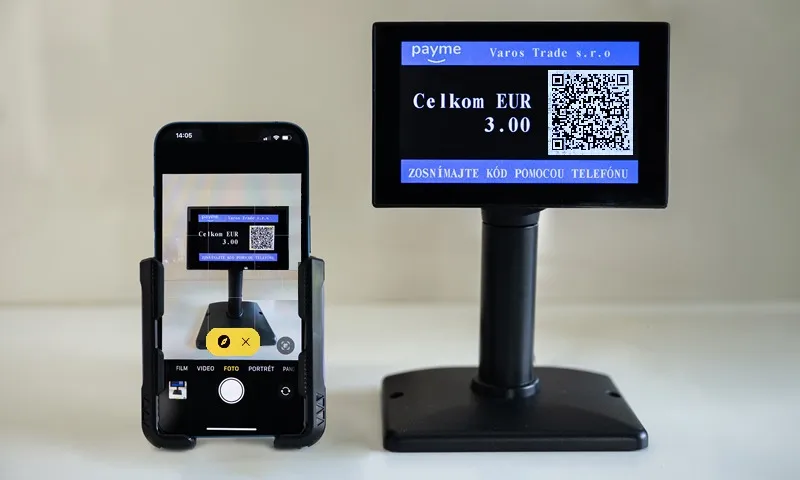 | 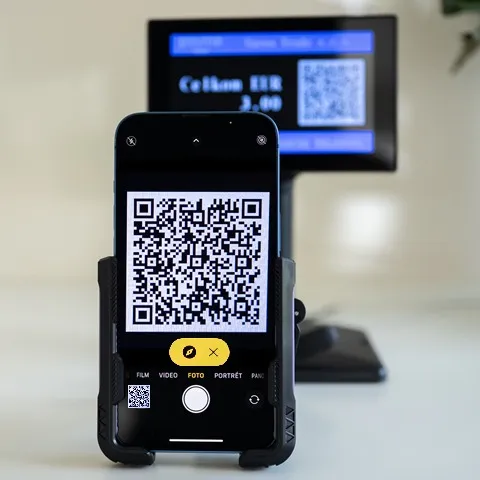 | 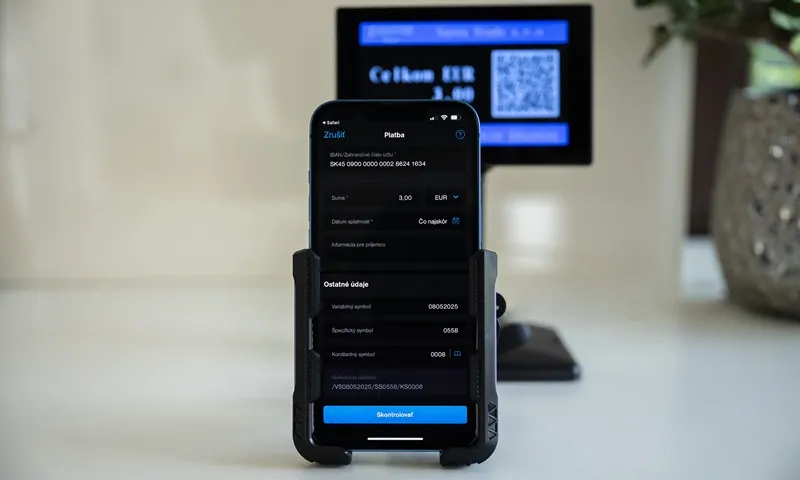 |
| eKasa - QR code display | Clicking the link launches the banking application | Buyer - payment verification and confirmation |
Benefits of QR payments for buyers
✔ Security - QR payment is safer than card payment, where there is a risk of card copying and misuse
✔ Instant payment - Ability to make instant payments without amount restrictions
✔ Acceptance obligation - The seller is obliged to accept cashless payment if it exceeds 1€
✔ Hygiene - Mobile payment without the need to handle cash or payment cards
✔ Pandemic - Reduction of physical contact
Benefits of QR payments for sellers
✔ Automation - QR payment is executed automatically without manual data entry
✔ Error reduction - Limitation of operator errors when handling cash
✔ No fees - Cashless payment without additional fees to card companies
✔ No terminal - Payment processing through the eKasa register interface without using a payment terminal
✔ Legal compliance - Fulfillment of the new law obligation for cashless payments
✔ Instant availability - Money is immediately credited and available in the account
✔ Simple control - Each payment is credited as a separate item on the bank statement
✔ Protection - Reduction of physical contact and the amount of cash in the register
QR payment support on eKasa printers
FT5000 and FT4000
QR code payment support requires uploading a new program version:
- FT5000 - New embedded printer program
- FT4000 - New print manager version
Seller authentication
For seller authentication and payment verification, identification and authentication credentials assigned by the Financial Administration to individual cash registers are used.
Printer configuration
In the “QR Code Payment” tab, you need to set:
- Name and account number of the seller (separate account with minimal or no transaction fees)
- QR payment display option - on customer display or printed form on eKasa register
- Confirmation receipt printing for QR payment execution (similar to payment terminal)
- Payment method (P3-P8) for QR payment recording (the POS application will send QR payment amount data to this payment method)
Customer display - preferred solution
The display connects directly to the USB port:
- FT5000 - Printer USB port
- FT4000 - Free USB port on PC with printer
The USB port also serves as power supply for the display.
Advantages of customer display solution:
✔ Information about payment amount when displaying QR code
✔ Information about transaction completion / rejection
✔ Standard two-line display for product sales
✔ QR code display for website, e-shop, or promotional items
✔ Automatic advertising screen during inactivity
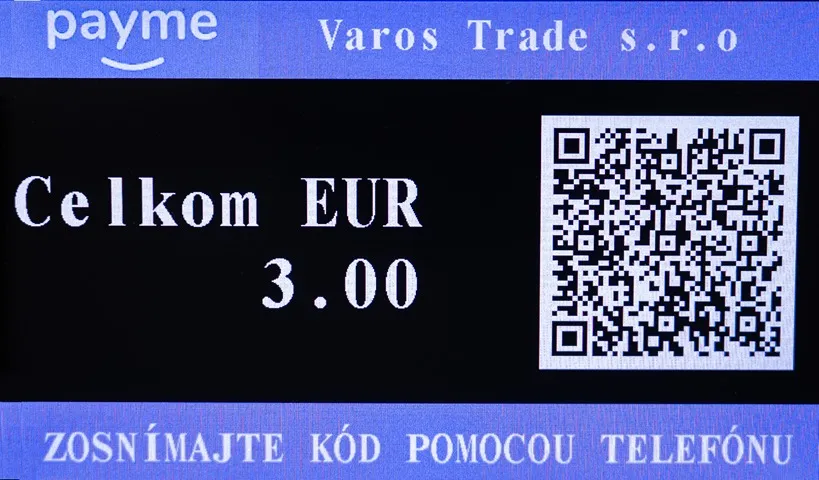
New obligation - Cashless payment from March 1, 2026
According to the draft law on cash registers, from 01.03.2026 all entrepreneurs are obliged to accept cashless payments for payments exceeding 1€.
If the seller enables QR payment, this is considered as fulfilling the cashless payment obligation even if the buyer cannot use it.
Law citation: § 15 Cashless payment section 3
When making a cashless payment with a payment instrument enabling scanning of a payment order in the form of a QR code, the Financial Directorate provides technical means enabling the eKasa register to obtain confirmation of this cashless payment; technical means may also be provided by a third party. If confirmation of its execution does not occur when making such a cashless payment, the eKasa register prints a document about this fact. Technical details about technical means enabling the eKasa register to obtain confirmation of cashless payment and requirements for the document about non-confirmation of executed payment are determined by the Financial Directorate and published on its website.
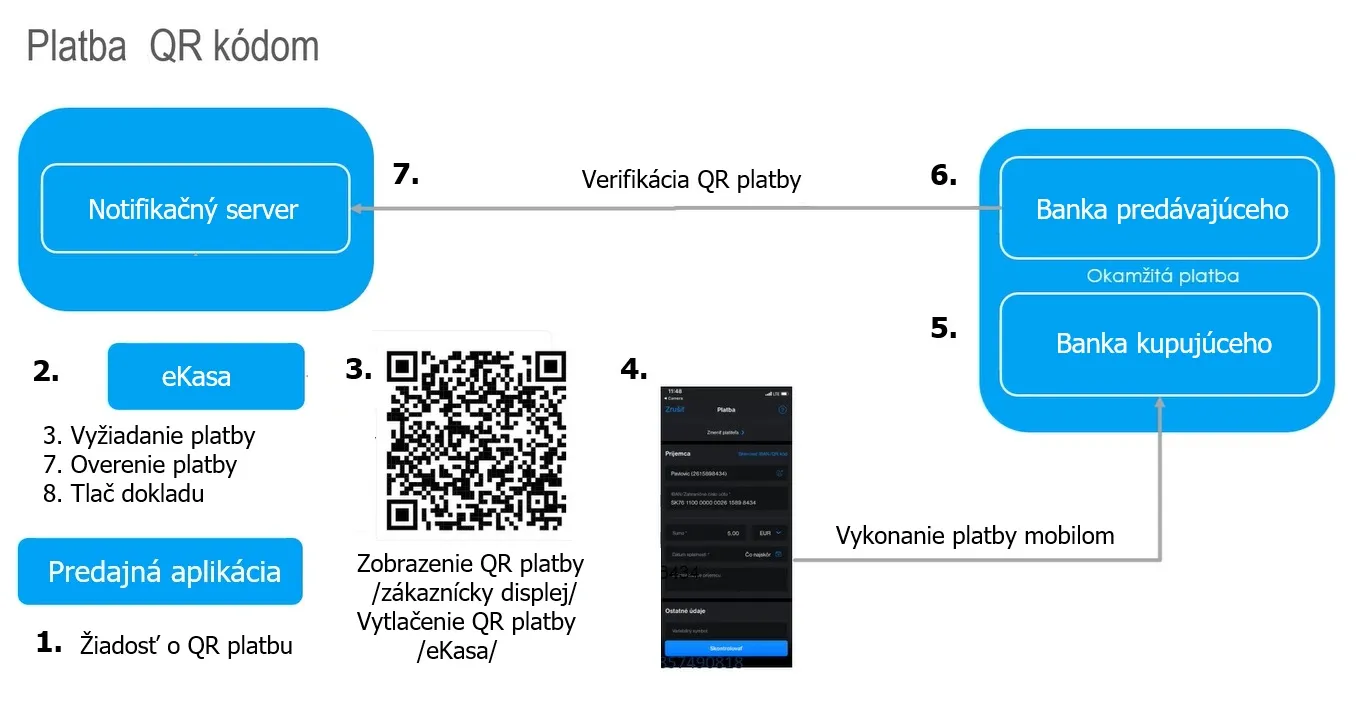
QR payment process - technical steps
- POS application requests the eKasa register to execute a QR payment
- eKasa register connects to the Financial Administration notification server with a request to assign a unique payment identifier
- QR code generation - Based on the identifier, a payment request is generated and displayed in the QR code
- Mobile banking application - The buyer scans the QR code with their mobile phone, which contains all information for payment execution. The QR code launches the mobile banking application, in which unchangeable payment data is automatically filled with the option to confirm or reject the payment.
- Instant payment - The buyer’s bank executes instant payment to the seller’s bank
- Confirmation - The seller’s bank notifies the notification server of the executed payment confirmation
- Verification and document - The eKasa register verifies payment information from the notification server based on the payment identifier. Based on payment verification, a cash register receipt is printed, or a payment rejection document.
Conclusion
QR payments represent a modern, secure, and efficient solution for both sellers and buyers. Their implementation fulfills new legal requirements and simplifies the entire payment process without the need for cash or a payment terminal.