

Installation
Download and Install
- Download the installation package from TM5000WIN
- Install the program on your computer (recommended:
C:\TM5000WIN) - ⚠️ Important: Set full permissions on the directory for specific user in Windows security
Launch
- Run TM5000WIN.exe
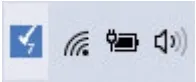
- After launch, the TM5000WIN icon will appear in the system tray next to the clock
Initial Configuration
After first start, the following tabs need to be configured:
| Tab | Task |
|---|---|
| PRINT RECEPTION | Setting communication with master application |
| CONNECTION | Printer communication parameters |
| ACTIVATION | Filling in authentication and identification data |
| CONFIGURATION | Email client, document header and footer |
⚠️ Without activating CHDU5000 in the printer, it is not possible to print documents on eKasa!