
Communication with FT5000 Printer
Original document in PDF format
- FT5000 printer communicates with cash register and warehouse applications using ESC control sequences.
- If master application supports this communication interface, printer is automatically compatible with it.

Communication Interfaces
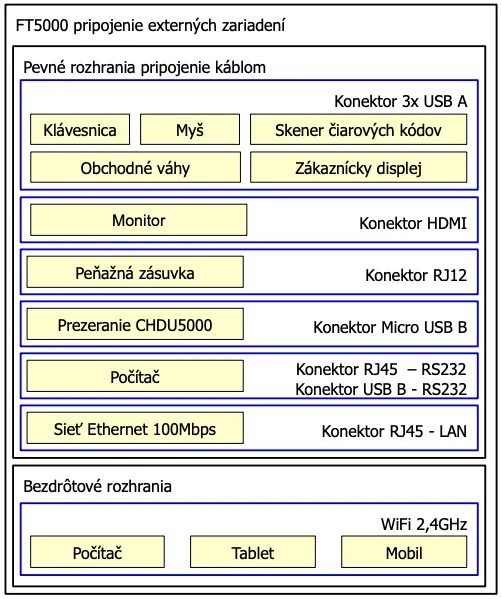
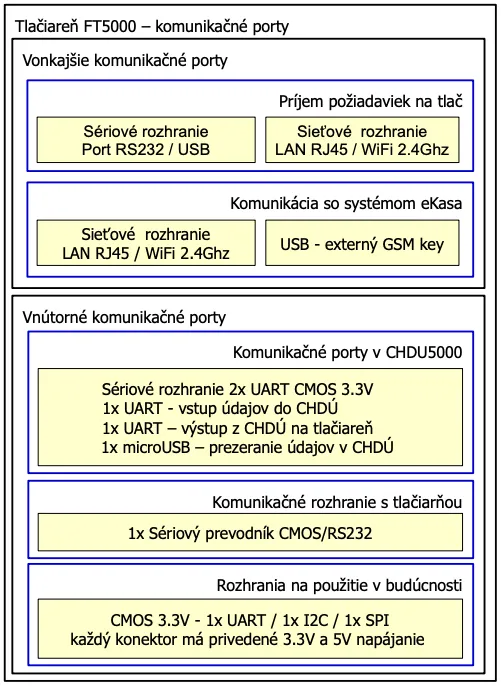
FT5000 supports following communication interfaces:
- RS232 (COM port)
- USB type B – creates virtual COM port
- LAN (RJ45) or WiFi – communication via TCP/IP socket (port 20543)
- Printer functions as IP server and listens on port 20543.
- Accepts requests only from allowed IP addresses.
- Only one device can communicate at a time.
- Before communicating with another device, open port must be closed.
Communication Options
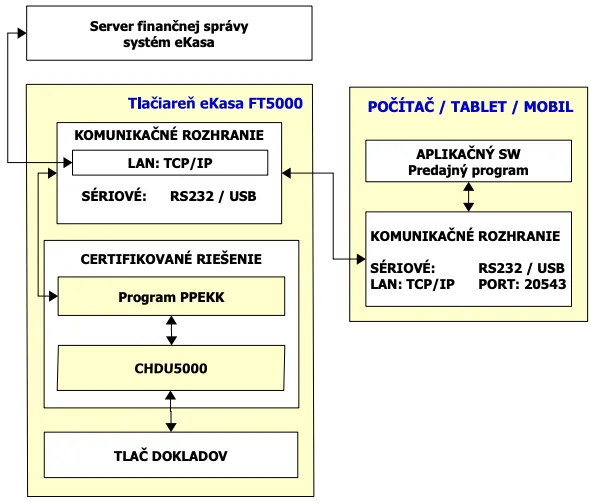
You can choose one of following ways to communicate with FT5000 printer:
Direct Communication
- Via RS232, USB or TCP/IP (LAN / WiFi).
- Master application communicates directly with FT5000 printer.
- Correct communication parameters must be set (baudrate, parity, stopbits).
Print Manager TM5000
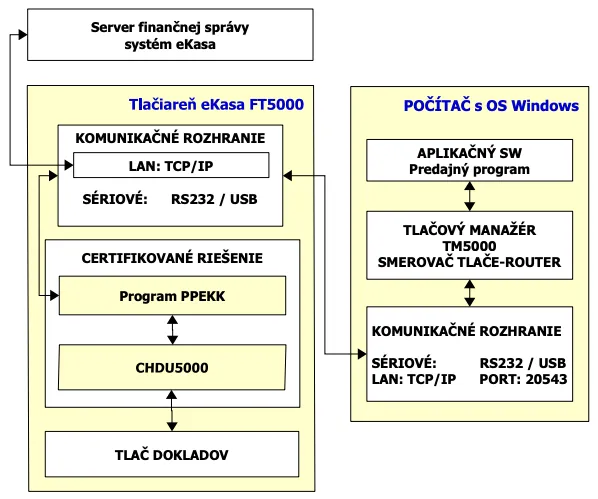
Print manager TM5000 is a Windows application that mediates communication between master application and FT5000 printer.
You can download it here:
TM5000 - Print Manager for FT5000
- TM5000 intercepts requests from master application and directs them to FT5000 printer.
- Receives requests from text file or IP addresses.
- Directs them to RS232, USB or IP address of printer.
Communication with FS
- Takes place directly from FT5000 via LAN connector, 2.4 GHz WiFi or USB GSM key.
- Printer must be connected to network with internet access.
Sending OFF-line Documents
FT5000 sends unsent OFF-line documents automatically:
- at startup, if FS is available
- after each correctly sent document
- manually via CONFIRM key
Peripheral Devices